Making the photo queue clearer and safer
A photo queue has two scopes: the image open in the editor and the photos marked for a batch. HeadshotFlow shows which checked photos a filter hides, prevents empty selection actions, and asks before copying settings across the queue. The dated follow-up below covers the sample batch, split source and result panes, and export choices.
This is a local development snapshot of HeadshotFlow, not a packaged app release. The captures use generated or synthetic portraits, not personal photos.
1. A clearer first step
The empty workspace now offers Open photos… and Load sample together in the main work area. The sample stays out of the header until a photo is open, so the first screen starts with the two useful ways into the editor. The toolbar’s add-photo action stays available for adding to an existing queue.
This also gives the quickstart a reproducible starting point. Its sample portrait is included with the application; the clean-session checks use a separate synthetic portrait for the review case.
2. The checked set stays visible
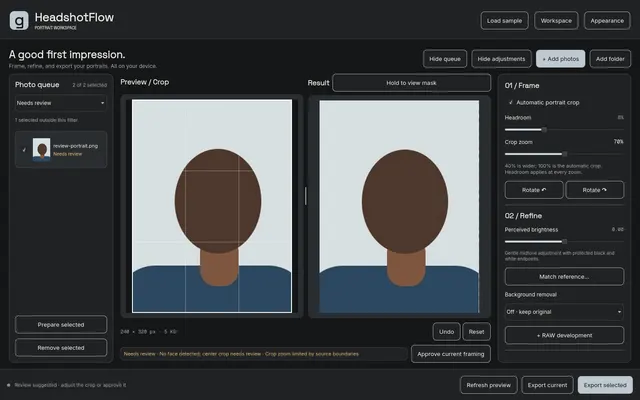
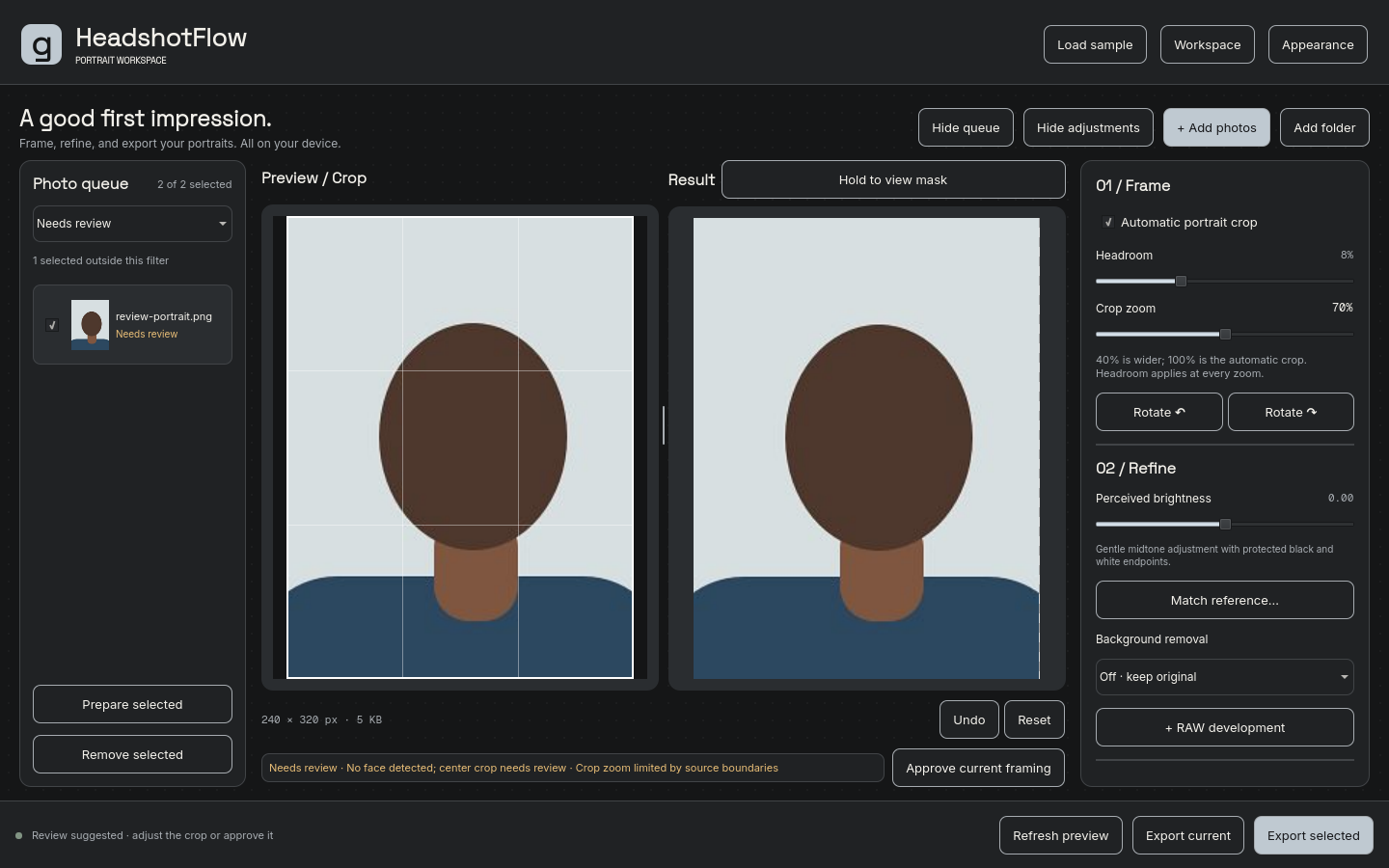
Export current works on the image open in the editor, regardless of its checkbox. Prepare selected, Export selected, and Remove selected work on checked queue items. A filter only changes which rows are shown; it does not remove a checked item from a batch.
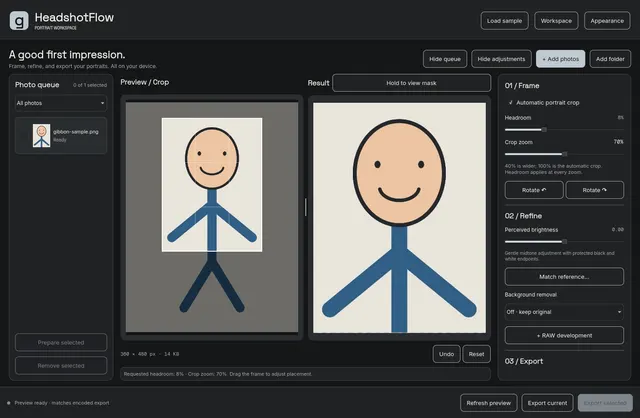
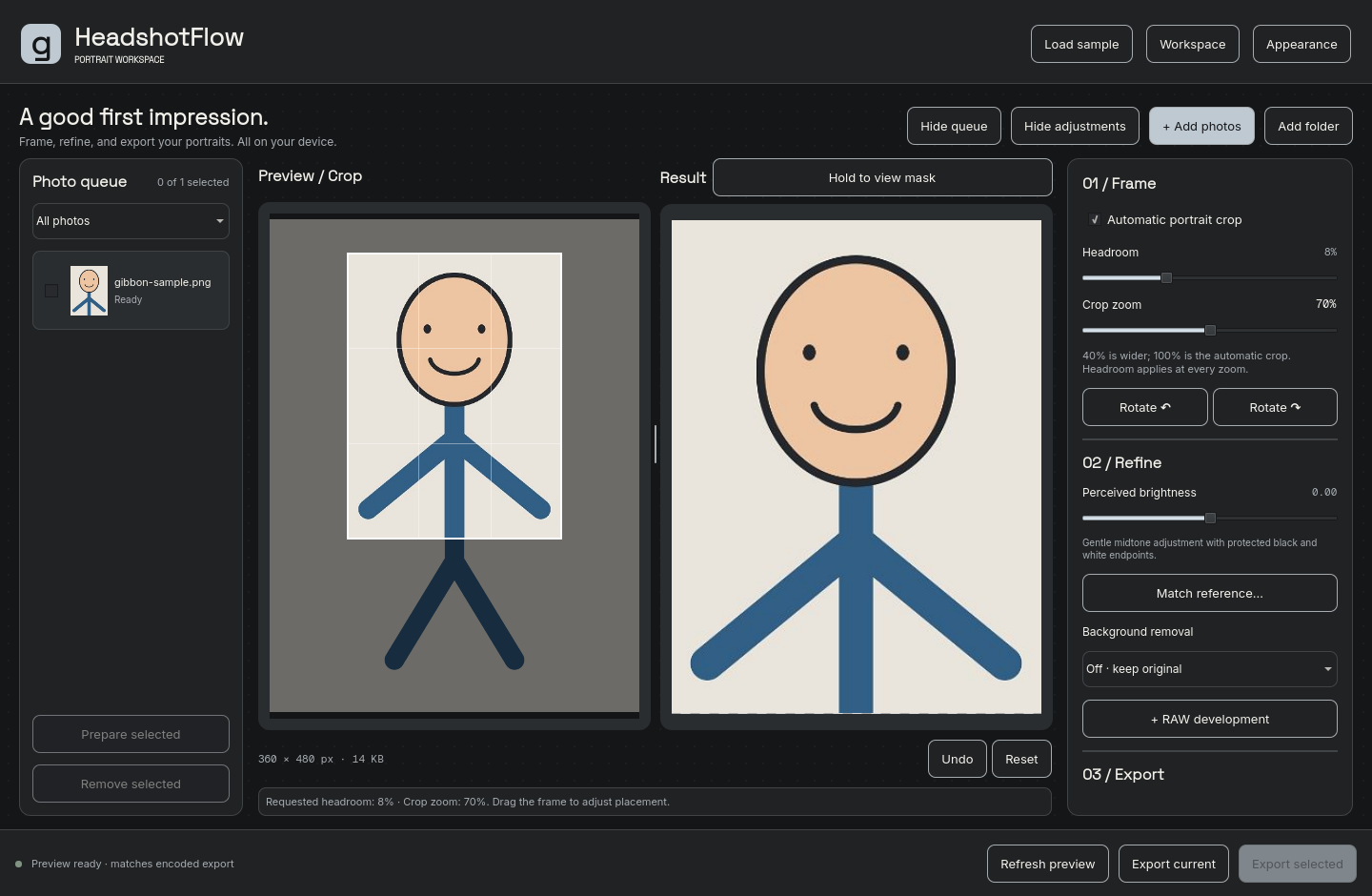
The queue now shows the total number selected and, when a filter hides selected items, a second count such as “1 selected outside this filter.” Switching to All photos reveals those rows. Photos that need review still show their reason beside the per-photo approval action.
3. No selection means no batch
The interface disables prepare, remove, and selected export when nothing is checked. The controller also guards the same boundary: removing an empty set leaves the queue and current photo alone, and a batch request with no rows reports “Select photos in the queue first” instead of starting work. Calls made while processing is already underway are ignored.
Keeping that check in the controller matters because an empty selection is not just a disabled button state. The desktop UI and shared controller both avoid treating “nothing selected” as “the photo currently open.”
4. Confirm a queue-wide copy
Apply to all opens a confirmation that spells out its reach: every queued photo, including unchecked rows, plus defaults for future imports. Applying copies the open photo’s settings but clears manual framing, brush strokes, and approvals on the queue. Cancel closes the dialog without changing those settings.
That keeps per-photo review explicit. Approval belongs to an individual image; copying settings across the set asks for a new check instead of carrying old approvals into different framing or masks.
5. What I checked
The controller and Qt Quick tests cover an empty selection, selected-action enablement, cancellation and confirmation, filtered selection counts, review reasons, and per-photo approval. CTest passed 2/2, and the CLI integration checks passed. The updated local installation also passed its clean desktop startup check in the tested Linux/Wayland session.
The native screenshots above use synthetic test images. This update changes queue and application controls; the shared image engine remains the processing path for both the desktop app and CLI.
A clean Linux launch exposed a GTK platform-theme initialization failure before the workspace loaded. Linux now defaults to Qt’s built-in theme; the configured XDG file chooser remains available with gibbonpfp -platformtheme xdgdesktopportal. I checked the default startup on the Linux/Wayland machine used for this update.
Source project: HeadshotFlow on GitHub.
Follow-up · 21 November 2026
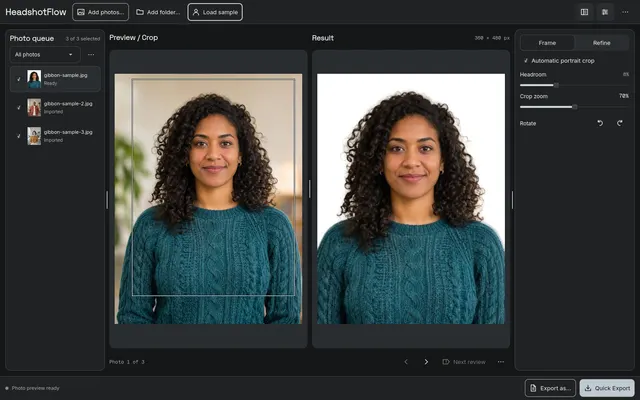
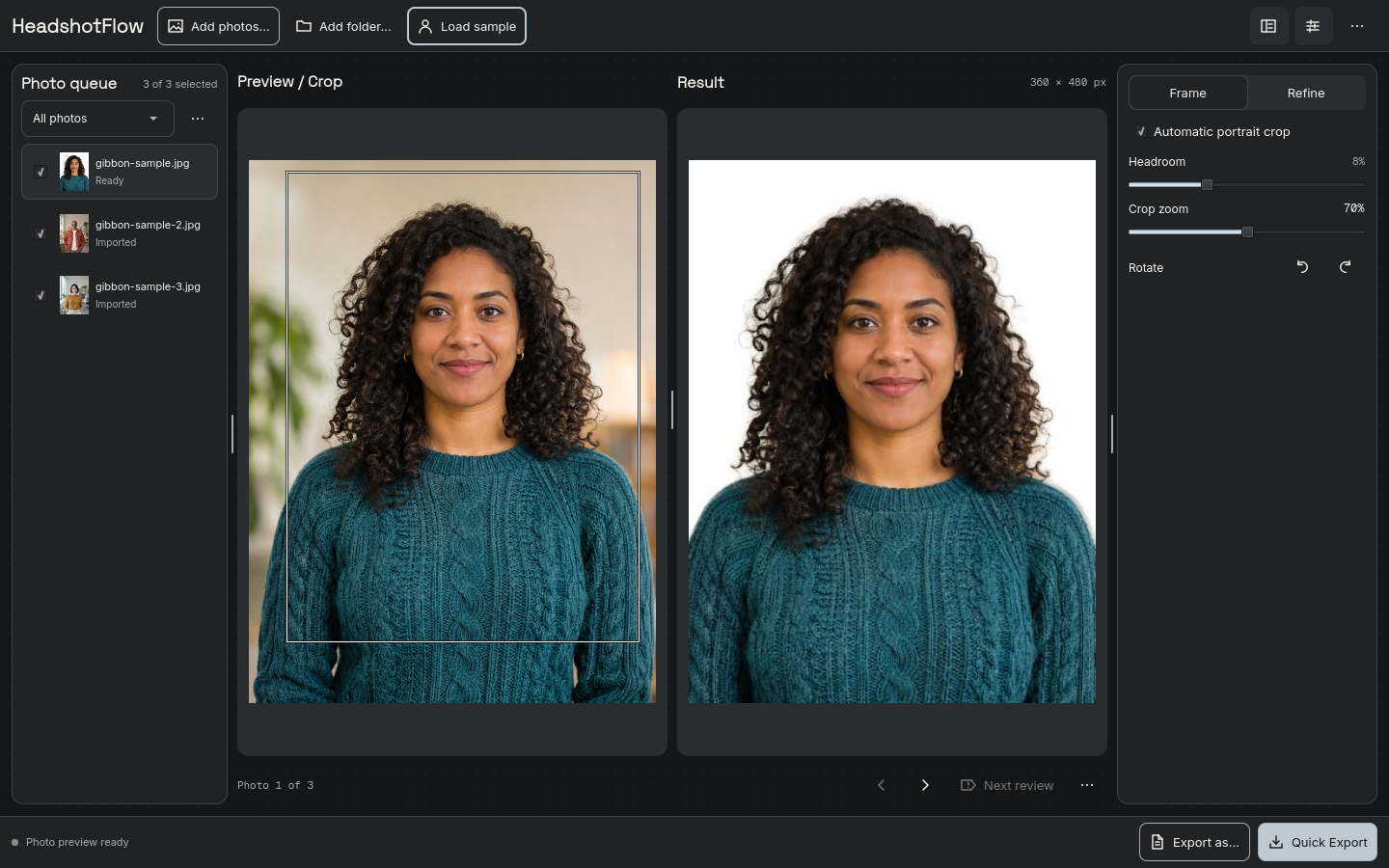
On a fresh workspace, Load sample adds three generated portraits and checks them. Loading it again returns to the first existing sample, adds any missing portraits, and leaves existing checked states and settings in place. Preview / Crop shows the oriented source with one movable outline, bounded by the image edges. Result shows the processed current photo separately. Drag the queue, editor, and inspector dividers within their width limits, or focus a divider with Tab and use Left / Right to resize. Export as… opens scope and output settings. Quick Export repeats the last successful scope, settings, and destination. Before a successful destination is saved, its first click opens Export as…. With three samples checked and no previous successful export, the first export defaults to Checked photos (3) and their assigned output settings.